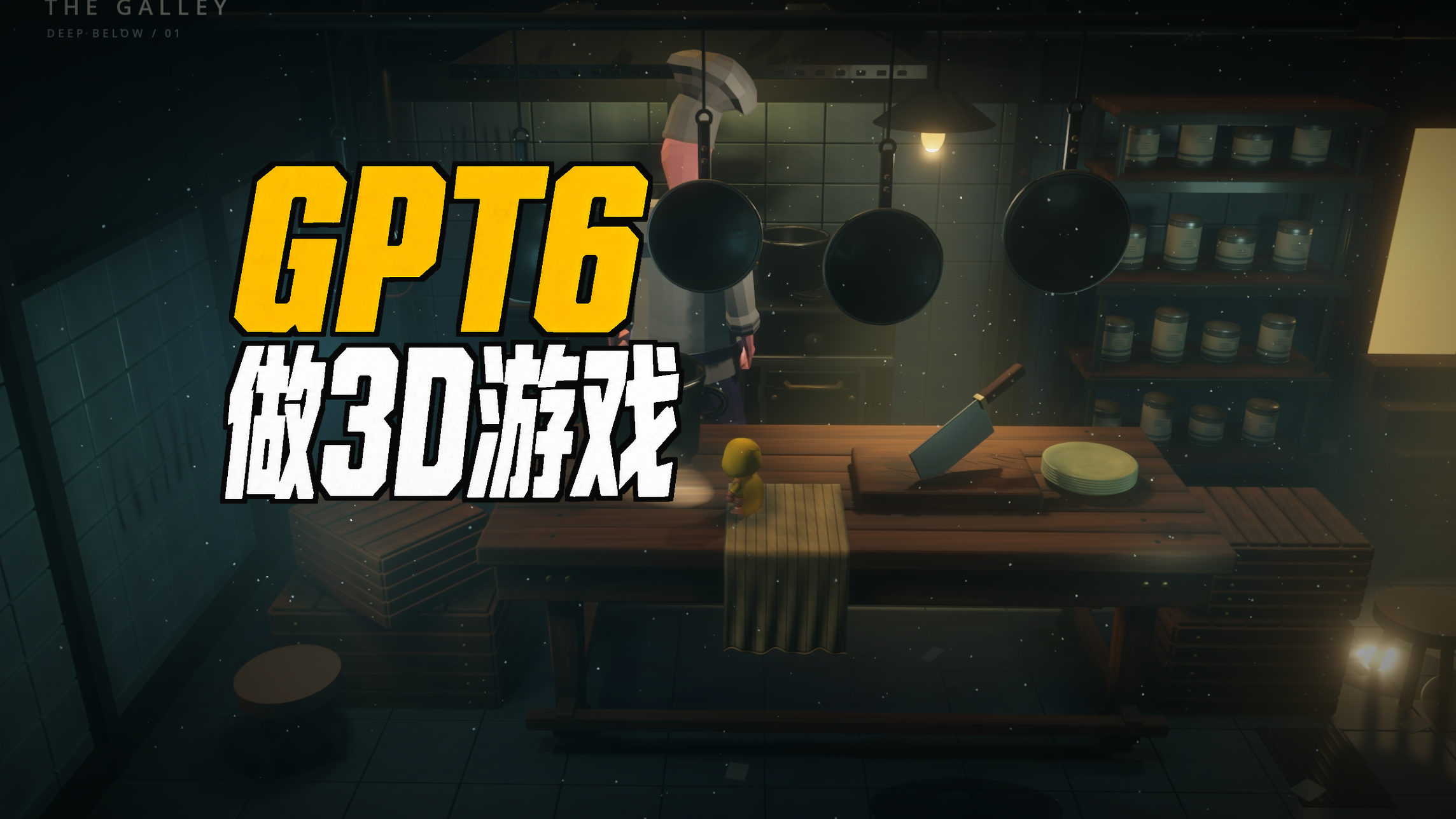
I woke up to find that I could use GPT6. This time, I wanted it to try building a 3D scene in Godot. I recorded the whole process, so today I’ll walk you through it in order. Some parts really impressed me, and a few mishaps made me laugh.
First, the setup
I used a GPT Pro 5X subscription and GPT6’s Astra model. I deliberately set the reasoning effort to “medium”—that’s what I normally use, and I wanted to see how far it could get under my usual conditions. I chose Godot as the engine. All I told it was where Godot was installed; I left everything else to it. I can already make 2D projects with GPT5.6, so with GPT6, I wanted to take on 3D.
I usually say what I want, not how to make it
When I use AI, I have a habit of telling it what I want without telling it how to do it. I want to see whether it comes up with something I hadn’t thought of. Even when I already have an answer in mind, I ask it first, because it might offer a better one. That way, I keep learning too. This time, I had a clear goal: lighting and atmosphere in the style of Little Nightmares.
It chose a ship’s kitchen on its own
I didn’t even specify the setting. It chose a kitchen aboard a ship and designed all the fixtures and their placement itself. The first version surprised me: both the atmosphere and the layout made sense. I asked how it had made it. It said it had built the models directly with scripts and used Godot’s built-in materials and lighting. It didn’t start by piling in detailed models, either. It blocked out the shapes first, established the spatial relationships, then worked forward from there.
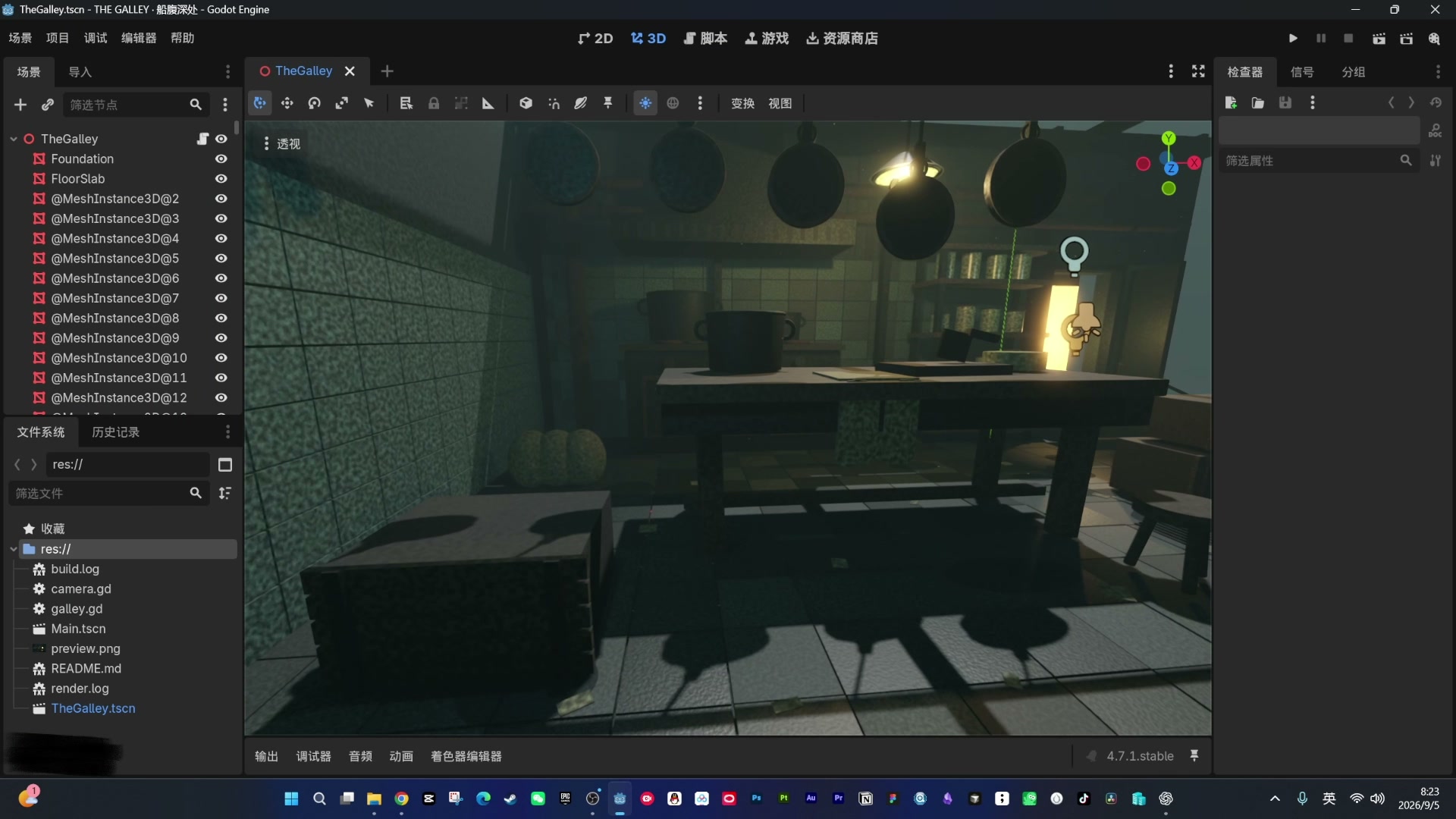
The first version of the ship’s kitchen chosen by the AI
From blockout to Blender
Next, I asked it to add the walls, line up the camera, and work on the details. For the second version, it gave me a fairly complete Little Nightmares-style scene, leaving one wall open for the camera. When I pushed for finer detail, it said it would use Blender. The result of that round was impressive: the detail was already about where it needed to be for a low-poly game.
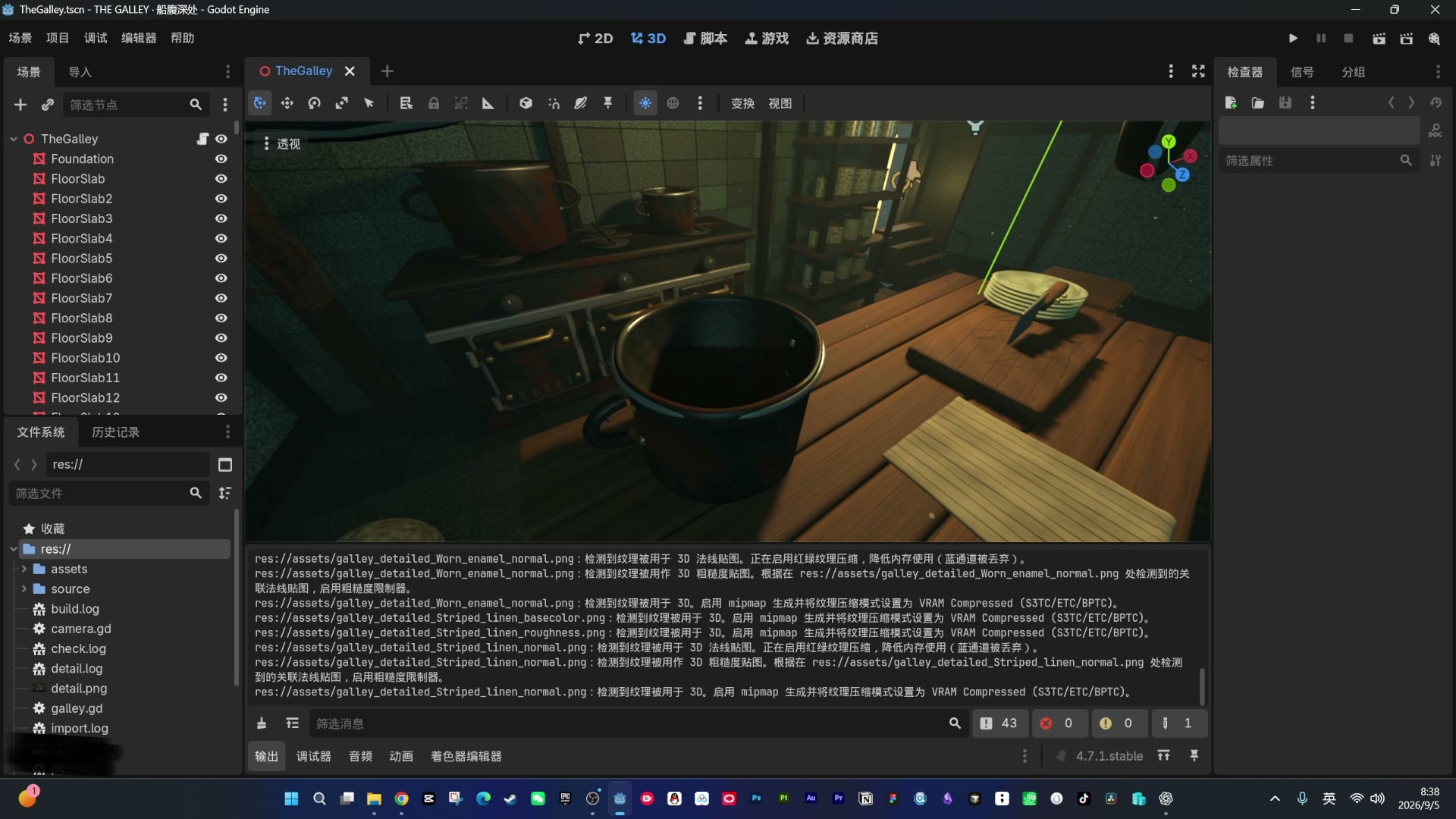
Refined materials and model details
Lighting and floating dust
With volumetric lighting and a little dust floating in the air, the scene’s oppressive, damp atmosphere fell into place. I noticed another change here: to judge motion, it now records a video and watches it back itself, rather than taking a few screenshots as it used to.
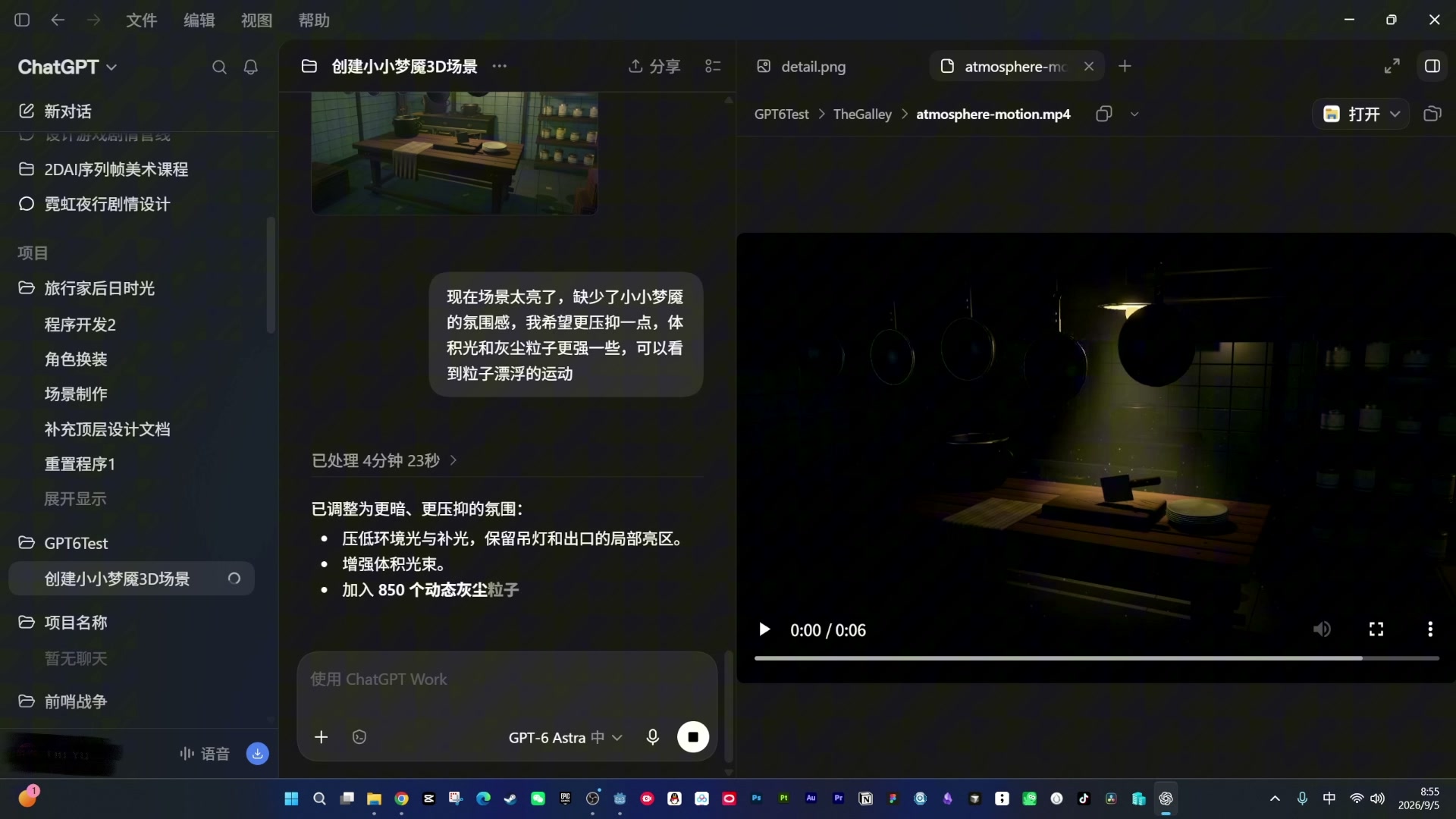
Volumetric lighting and floating dust
A character mishap: it made me a “Sanmao”
For the character, I still gave it no details beyond “I want a character.” What it came up with was actually better than I expected, unlike the stick figures it used to make. Later, I felt it was too abstract and asked for something more realistic. It said it could make that itself. Half doubtful, I asked, “You’re that capable?” It said yes. The result was worse than I’d imagined: it made a “Sanmao” that goose-stepped as it walked. There was nothing scary about it.
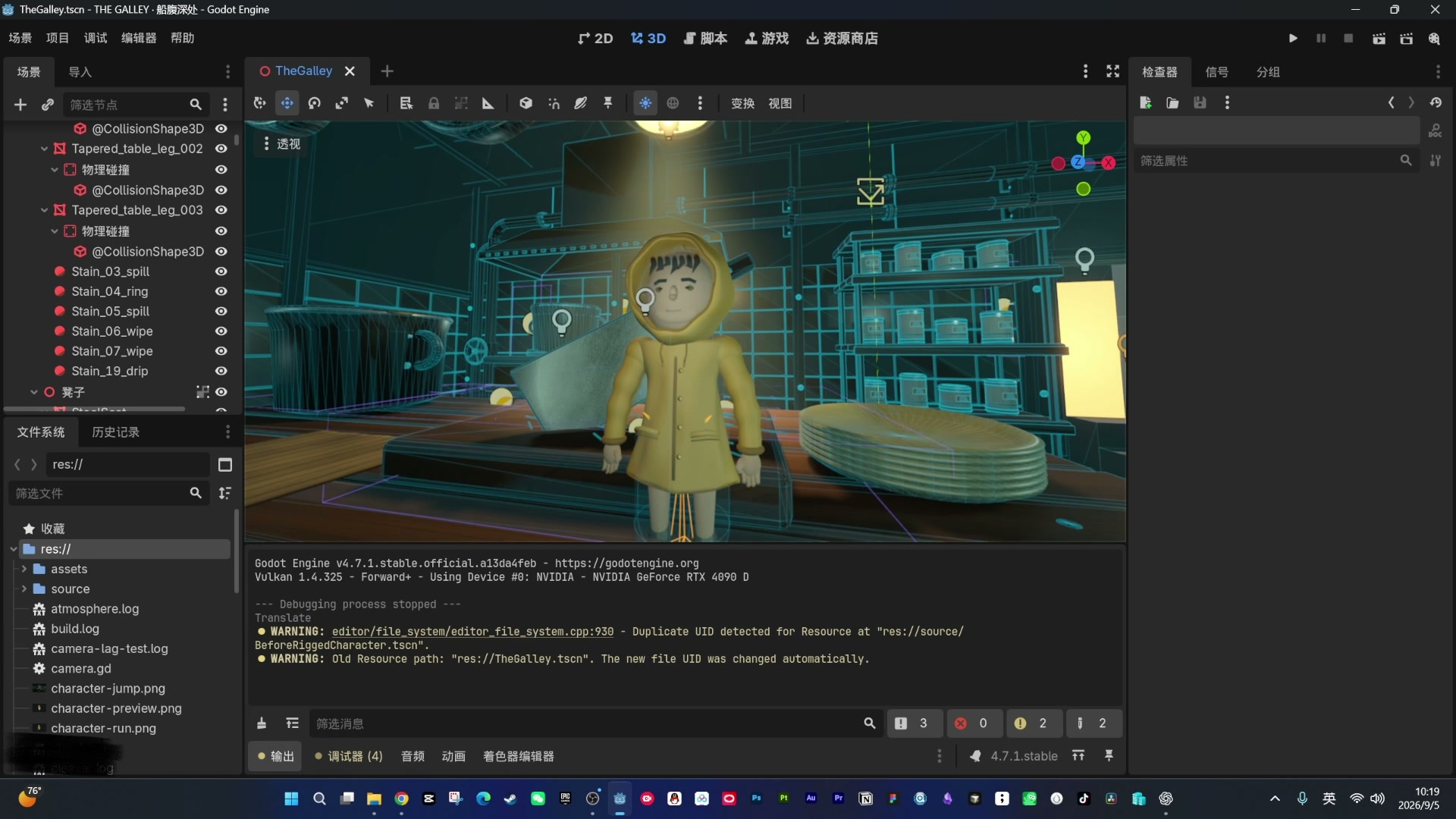
The character it built didn’t work out
I said, forget it—don’t start thinking you’re AGI. Go find an existing asset. This time, it was on the right track. Since the protagonist of Little Nightmares wears a hood, it searched for hooded characters. It eventually chose an elf archer and removed the bow and arrows itself. I said the budget was 0. It immediately replied, “All right, I’ll look again,” and switched to a free one. After adding particles and AO, it gave the character a flashlight, and the atmosphere came together.
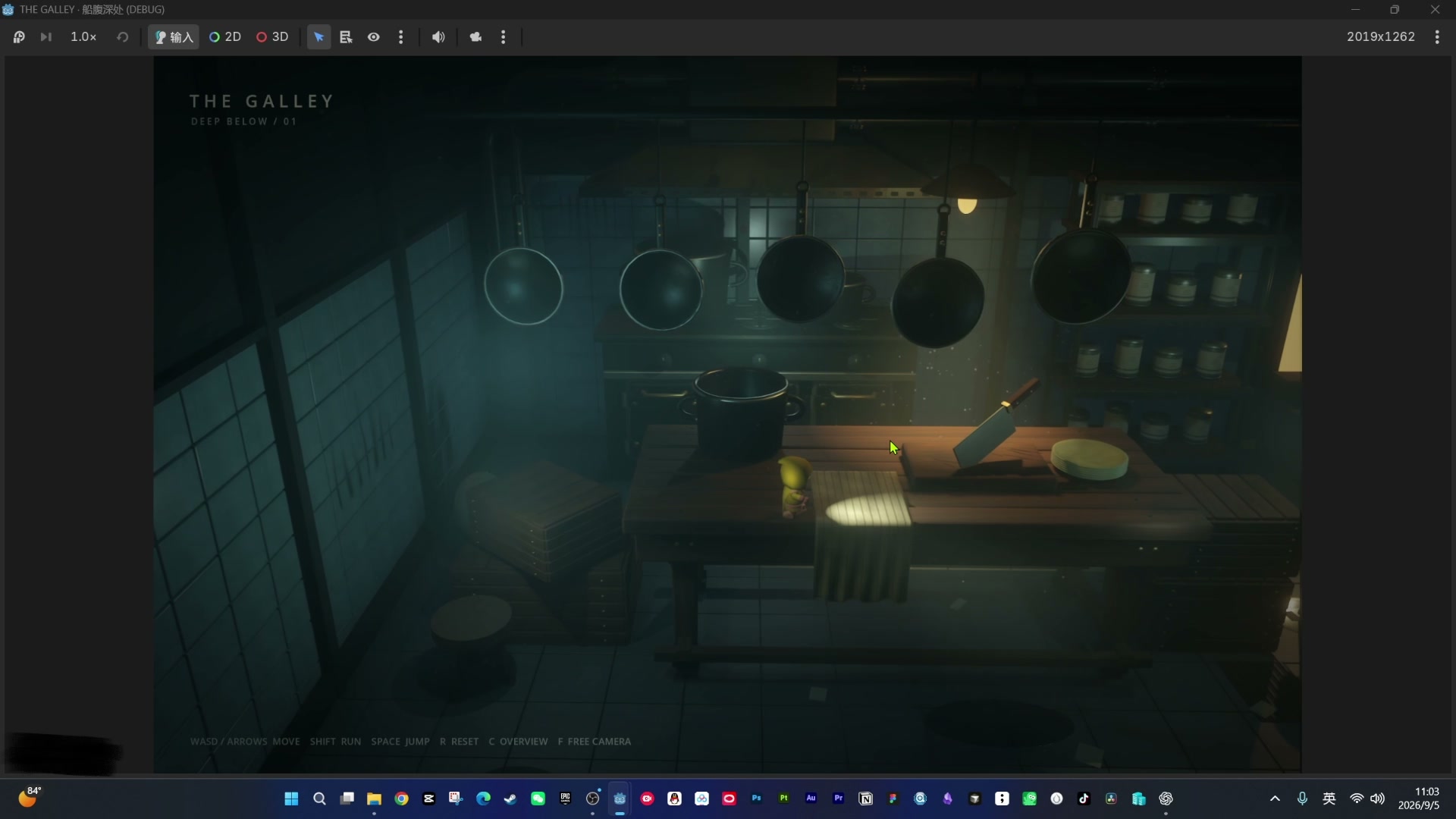
The hooded character and flashlight
The chef suddenly twitched
Here was my idea for the gameplay: a chef in the scene would turn around, and the player would have to sneak past slowly, avoiding the pots, bowls, and other kitchenware. So first, we needed a chef. This time, I didn’t let it model one itself; I told it to find an asset.
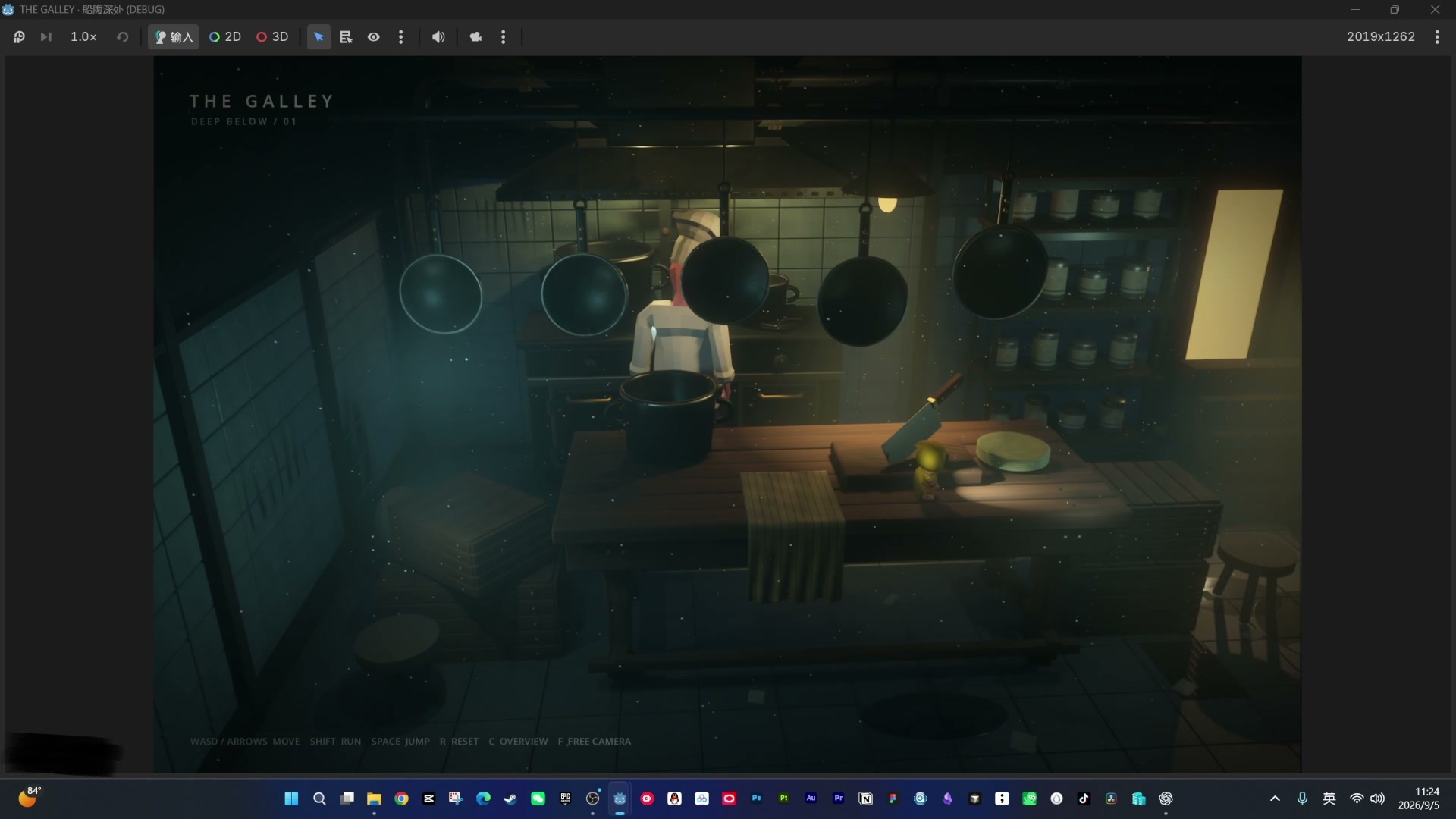
It found the asset, but there was no animation. Again, it said it could make one, and again, I believed it. The result just stood there in a pose without moving—it looked far too much like a model. I asked whether it could find a suitable animation based on the skeleton. It actually compared skeletons, downloaded an animation, and applied it. When I ran it, the chef suddenly twitched.
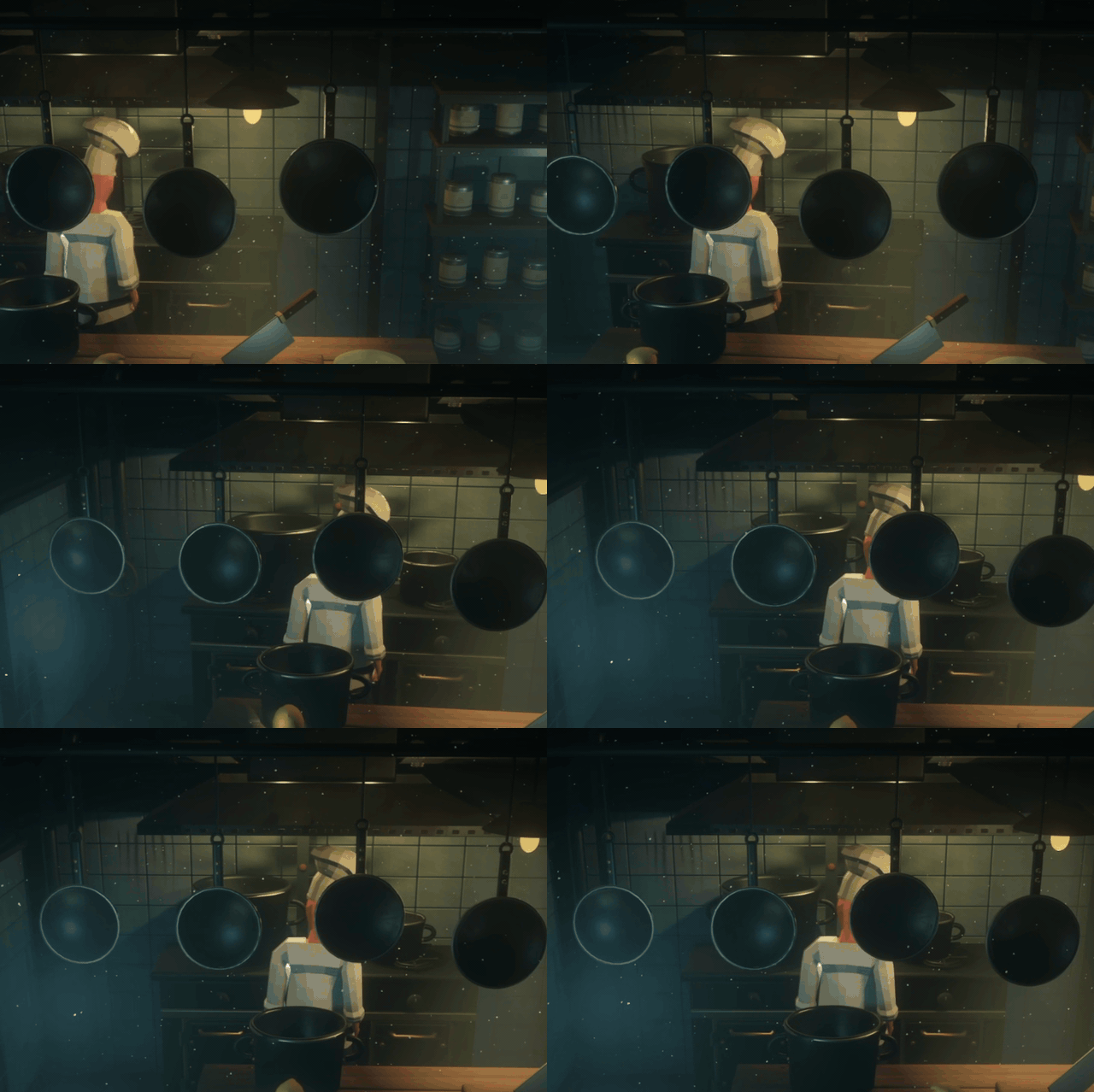
Honestly, it startled me. It was just an animation bug, but that unsettling feeling fit the theme surprisingly well. That one twitch made you feel there was something wrong with this chef. If I were making the actual game, I might have kept it. But this was a test of its capabilities, so I had it fix the bug. After that, it behaved normally: the chef stood there playing an idle animation, and that part was done.
What this cost
Here are two actual figures. For tokens, I started at 61% and finished at 53%, so I used about 8% on Pro 5X. It took roughly 3 hours, but most of that was time I spent going back and forth refining the details, rather than time it spent generating things.
My conclusion
A lot of people think Godot is only good for small 2D games. After this experiment, my immediate impression was that making 3D with GPT6 and Godot is much easier than I expected. The main limitation is still model detail—all the models in this scene were generated by it. For finer results, there’s another possible route: generate images first, then use a 2D-to-3D website to make dedicated game assets. That could take the result a step further. For me, this was more of a test of its current limits. Knowing how far it can go now gives me a clearer idea of what to work on next.