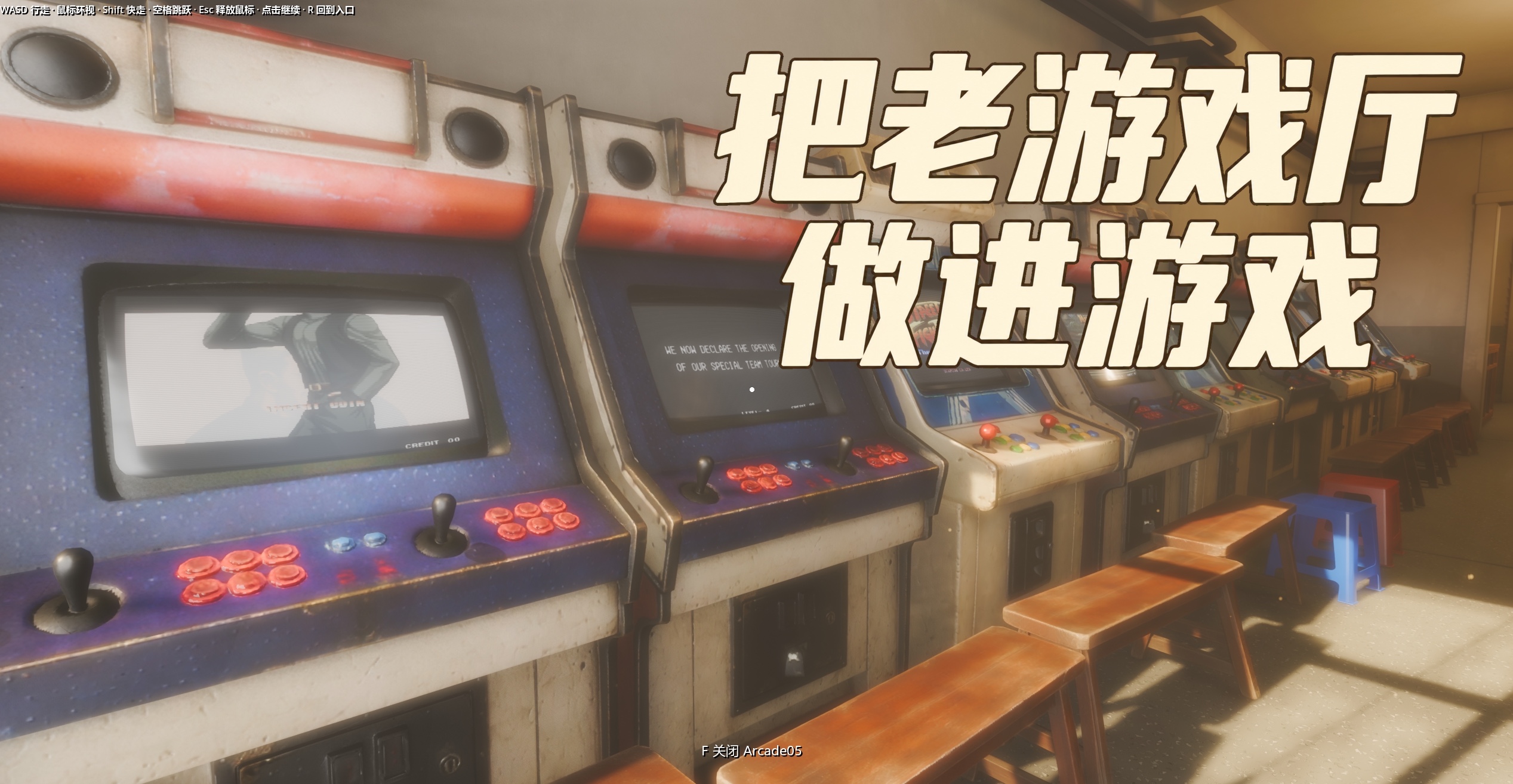
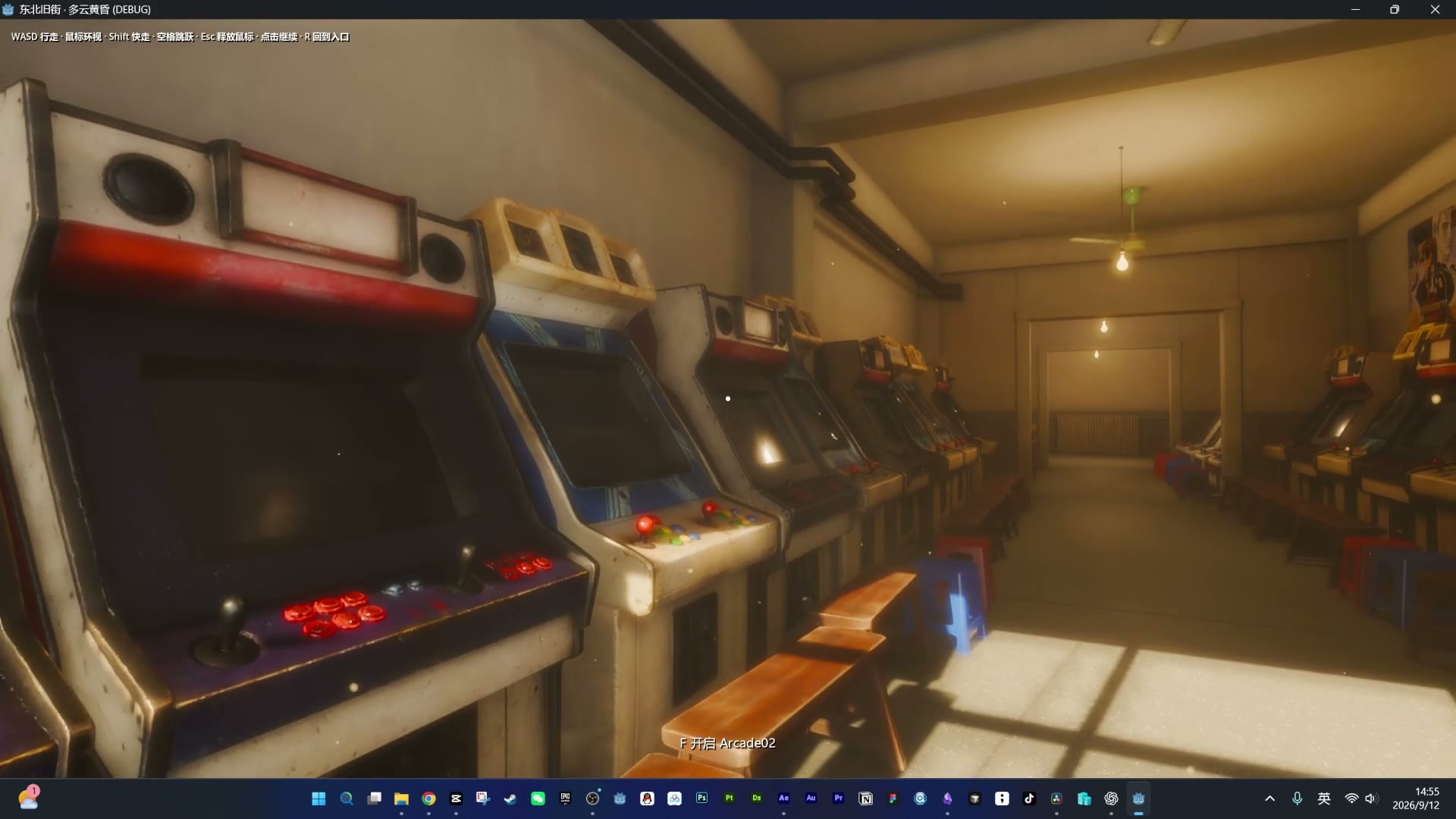
When you were a kid, how many of you got hauled straight out of the arcade by your parents, and how many got shaken down by bullies there? The old arcade halls I remember from childhood in China were the kind where you dropped a coin into a slot near the bottom of the machine, lit by dim, yellowish incandescent bulbs, with a ceiling fan overhead. You basically can't find places like that anymore. Even the ones with a "retro arcade" sign out front are mostly full of new machines in new spaces — not the thing I remember at all.
So I decided to build it myself. I'm Lao Liu, someone who plays games and also makes them, and I've been poking at one question: how can AI actually help one person make something real. What I made this time isn't a video — it's a 3D game scene you can walk around inside. What I show here is walking through the scene and playing video on the cabinet screens. Here's how I put that space together.
Memory is a slippery thing. The names of the machines, which year was the most popular, exactly how many "'97" cabinets a hall would have — I can't remember a lot of it precisely, so all I can say is "I think," "it seems like," "the way I remember it." Take Cadillacs and Dinosaurs: where I grew up as a kid we all called it "Yellow Cap," and it wasn't until I was making the poster that I realized its official name. Power Instinct we used to call "The Chinese Zodiac." Captain Commando — because it always used that mummy with the freakishly long reach — we called "the Blade Guy." Whether those nicknames are right, or whether they were only a local thing, I honestly can't swear to it; I just placed things the way I remember them. Some machines I never had the money to play as a kid — I only stood behind the grown-ups and watched — so when I looked for references, all I had to go on was a feeling of "I think I've seen this one before." Whether I got it right, I'm not sure either.
The Building: Let Codex Put Up the House First
The real first step was the architecture. Finding references was more of a pain than I expected — search online now and you get nothing but renovated "retro" arcades, when what I wanted was an old venue. Eventually I found a genuinely old hall in Shenyang called Lianhe Arcade, gathered a lot of pictures of it, fed them to Codex, and had it build the structure of the room for me directly.
This kind of job is a great fit for letting Codex generate it directly. Because it builds purely out of geometry, a simple model like a building comes out with nice sharp edges and a low polygon count, so it's light on the engine. Some very thin things — like the wires hanging off the walls — also suit direct generation, though I later found those wires still had too many faces and were bogging down the engine a bit, so I just removed them. Once the architecture layer was done and imported into Godot, I started on the arcade machines inside.
The Machines and Furniture: Hand Them to Rodin, Then Back to Blender for Polygon Reduction and Baking
The finer things in the room — the cabinets, the TVs, the tables and chairs — I couldn't have Codex build directly anymore. Codex can only produce something that's "close in spirit"; it can't fully reproduce the shape and material of a reference image, and material especially is something it doesn't really understand. Leave it alone and it just slaps a default flat color on there.
My approach: first, working purely from memory, I look online for a reference image, find a machine that looks like one I saw as a kid, and then have Codex generate a "modeling-specific reference image" for me. I think this step really matters — it works far better than throwing it a raw photo or just describing the thing out loud and asking it to model. Once the reference image checks out, Codex automatically connects to Rodin's MCP and builds the model.
Rodin is an AI platform dedicated to 3D models; its site is https://hyper3d.ai/ . You can go to the site yourself, upload images, and work in the browser — I use its MCP and API directly, which folds it into my Codex modeling pipeline so I don't have to make a separate trip to the website. The biggest difference from what Codex builds on its own is the material: whatever kind of image you give it, that's the kind of material it applies, so it can produce that "worn" look. Compare the tables and chairs in the scene — the ones made with Rodin can have a missing corner or chipped paint with no problem; you can tell at a glance they've got some age on them. The table Codex built on its own can only ever look brand new. 3D models for a game actually shouldn't be too new; too new and the plastic-y feel gets really strong.
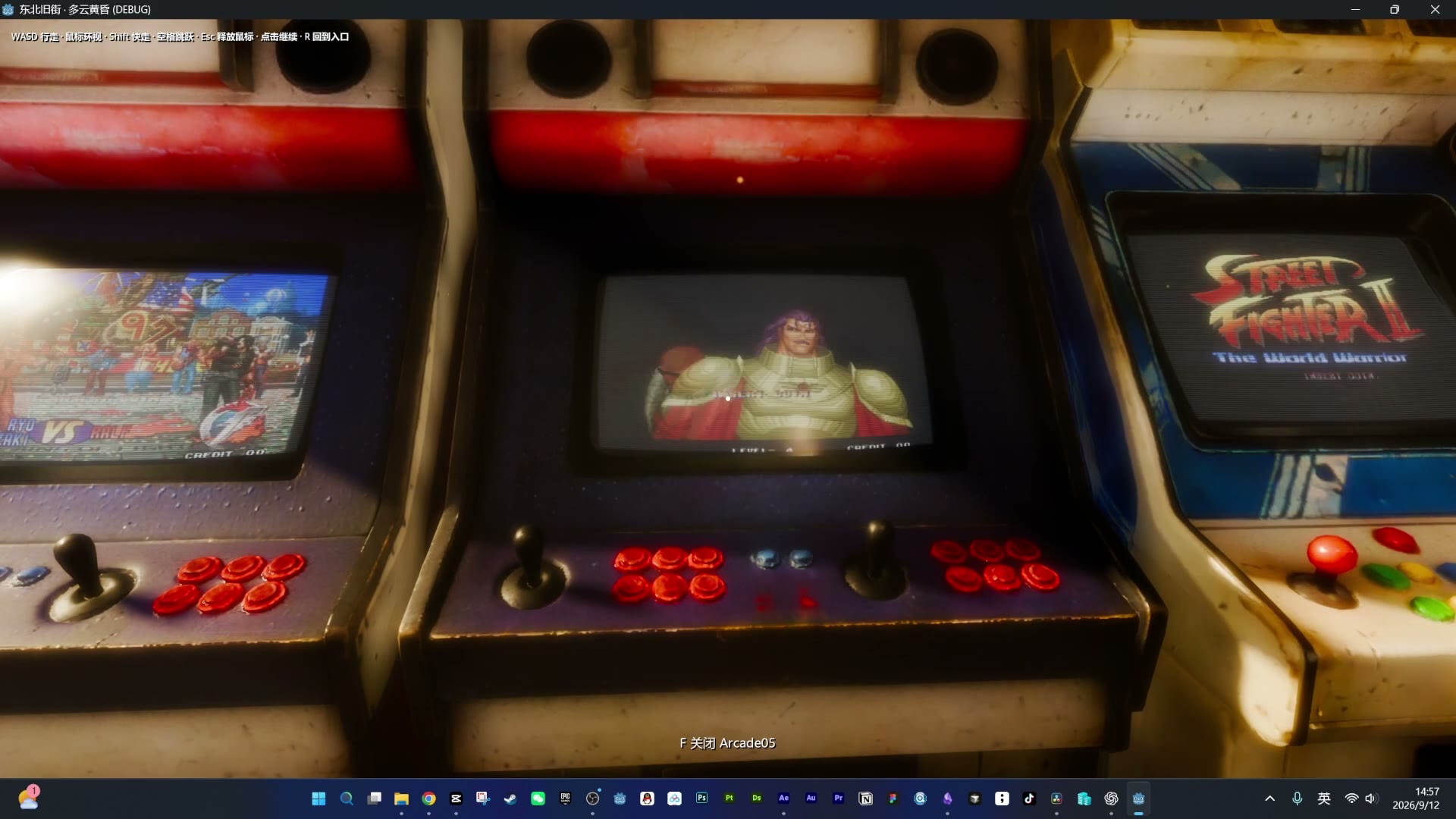
That said, what Rodin outputs directly is a high-poly model with a ton of triangles, and you can't use that in a game as-is — too many faces and the game chugs. The good part is that after the generation step, you can have Codex run an automated pass in Blender that converts high-poly to low-poly and bakes the material across. When it finishes you get a low-poly model with far fewer triangles, but visually you basically can't tell it apart from the high-poly one. It sounds like a lot of steps, but it's actually fully automatic — in the workflow I had already connected, I could approve the reference image, let the subsequent steps run, and then check the result in the engine.
I also had Codex build a feature that plays video on the screens, and while I was at it I added that curved CRT distortion, some screen glow, and scanlines. So now, as you walk through the scene, you can see the picture moving on the machine screens.
The Upside of This Pipeline, and the Things It Can't Do
Codex generates the reference image, Rodin outputs the model, Codex handles polygon reduction — once that loop was running smoothly, I got a taste of what you might call "3D model freedom," and it really is great. For common machines like the Famicom or PS1, I'd figured there'd surely be ready-made models online, but when I searched, the free ones looked genuinely bad and the paid ones were too expensive. After going back and forth, it really was better to just generate another one with Rodin — and I could make it look aged while I was at it.
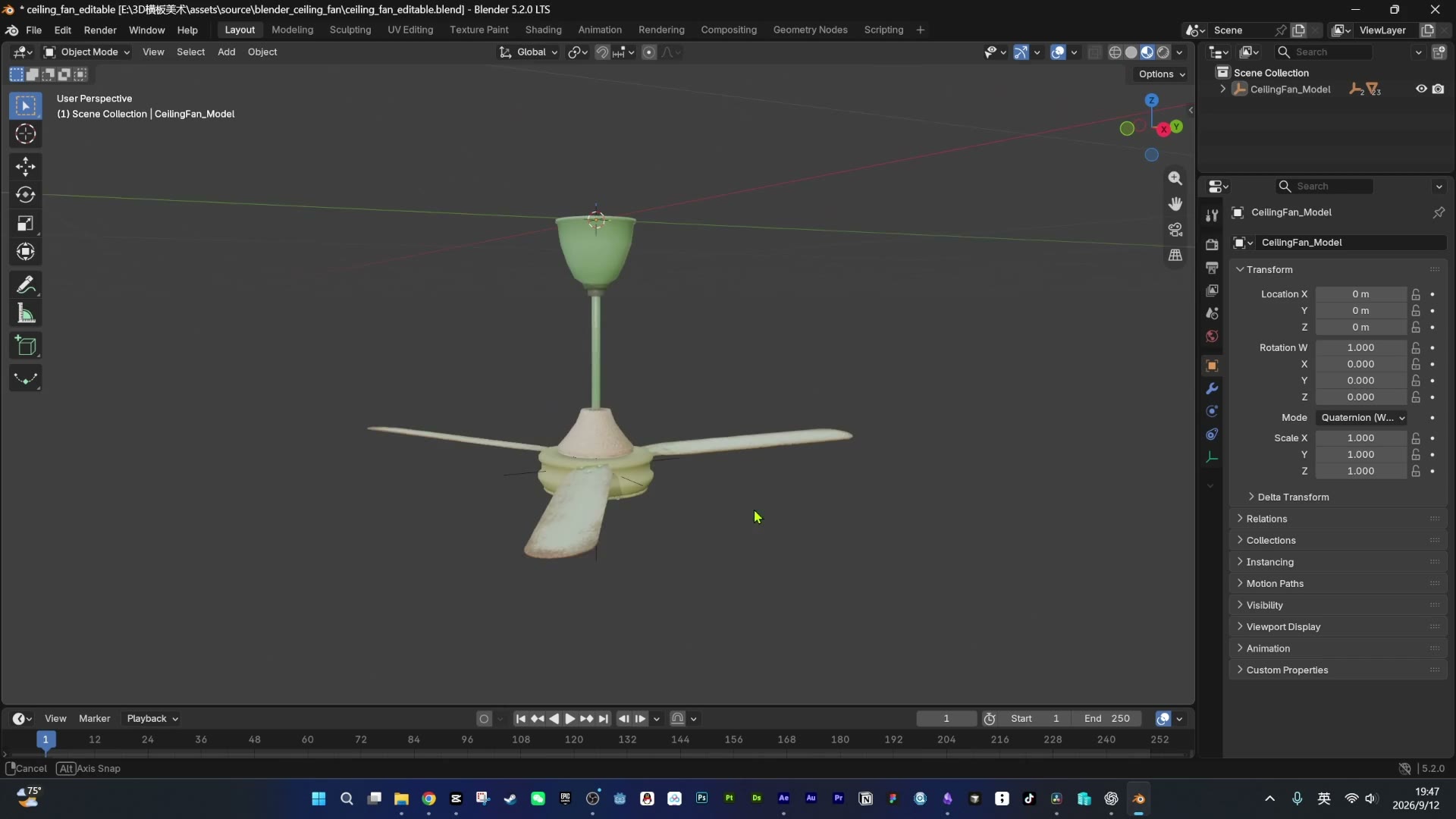
But this pipeline has one clear weak spot: very thin rods and sheets proved difficult at the polygon-reduction stage. Rodin generating the high-poly for that kind of thing is fine, but the moment it hits the polygon reduction step, those faces break. When that happens, if the model itself is a fairly standard geometric shape, I just have Codex build it by hand in Blender. An old electric fan I tried making, for example, was built that way.
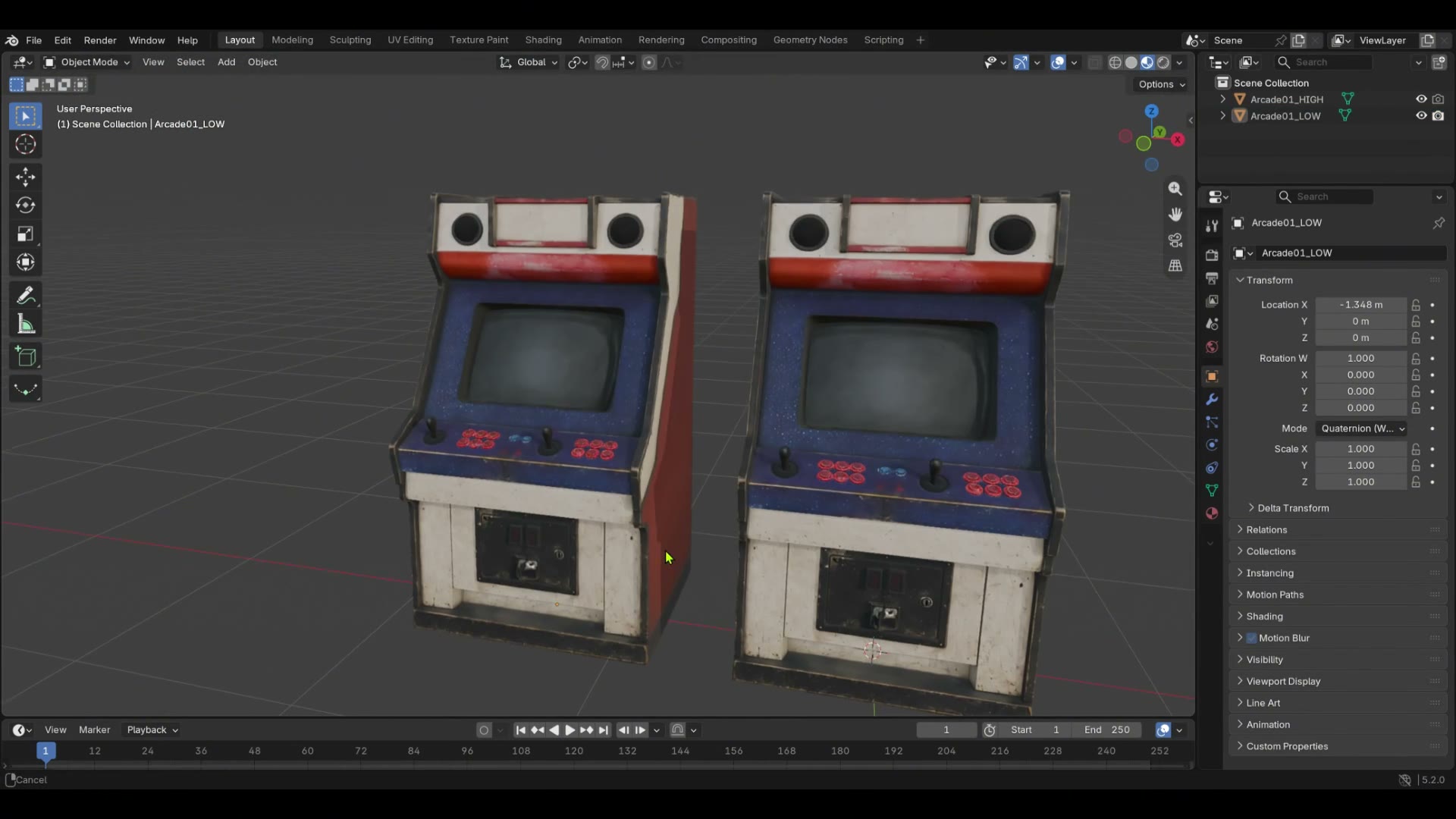
Building by hand with Codex has its own quirks: even with a good reference image, it won't build exactly to it, and you always end up having to fix things yourself. I spent a long time tweaking that fan — and in the end its face count was still too high, so I didn't dare put it in the scene. On top of that, Codex modeling doesn't do any proper material on its own; it just slaps a color on. To deal with that, I tried two routes.
The Game Token's PBR Material, and the Division of Labor on the Ceiling Fan
The first route is having Codex generate a full set of PBR material on its own. The one that came out well here is the game token: I gave it a reference image and it made me a full set of PBR textures — even the recessed lettering on the coin face isn't done with geometry, it's an effect faked in with the texture, and it's pretty convincing.
The second route is to have Codex do the modeling and let Rodin handle only the material — splitting the work between them. Take the ceiling fan in the scene. Its blades are fairly thin, and I was worried that generating a high-poly with Rodin and then reducing the polygon count would break them; but I also needed that precisely distributed, mottled grime on the blades — the kind of dirty, aged texture Codex can't paint on by itself. So I had Codex build the shape of the fan and handed the material step to Rodin, and with that division of labor the result came out reasonably well too.
At the end of the day, AI for 3D right now is like this: there's a whole pile of methods, each with its own strengths and its own pitfalls. None of them does everything. You have to look at the specific model, and then lean on your own experience and a lot of trial and error to decide which route to take this time.
On Godot, and a Hunch I Haven't Verified
I'm also using this scene to test Godot — to see how it holds up against this kind of realistic 3D. So far the main bottleneck I've found is model face count: bump it up a little and it starts to lag. As for whether this scene would run better in Unreal 5, I do have a hunch about it, but I haven't run a controlled test, so I won't state it as a conclusion — it's just an unverified thought.
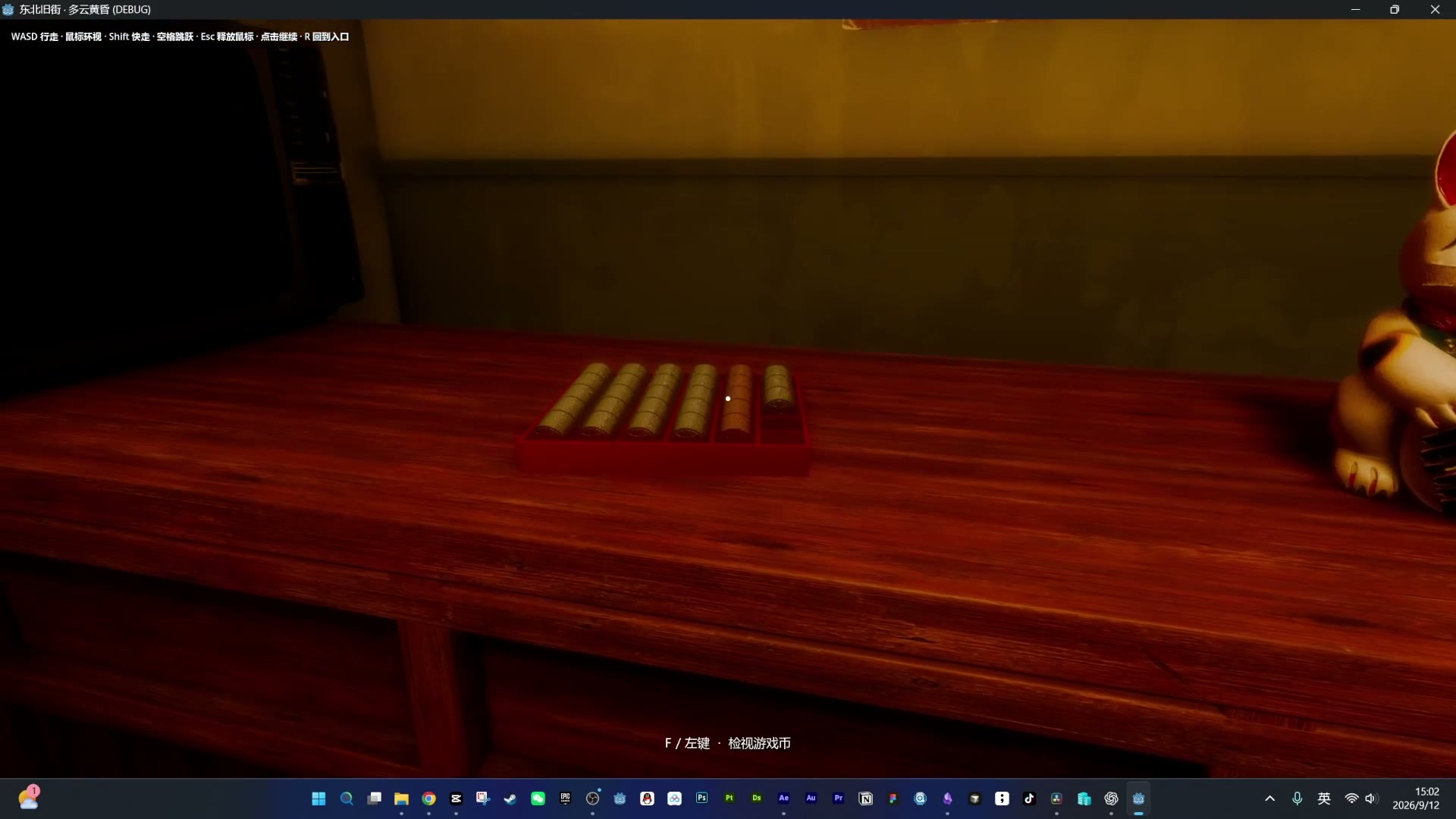
Alright, that's roughly the whole scene — I'll turn off the lights and head out. Doing this loop reminded me of something: in life there are always moments when you think it's just an ordinary goodbye, and it turns out you never see the place again. Those old arcade halls are pretty much that, for me. What were the arcades like where you grew up? Which machine did you play the most? And if there's a machine or a little corner I haven't gotten to yet, I'd love for you to tell me.